





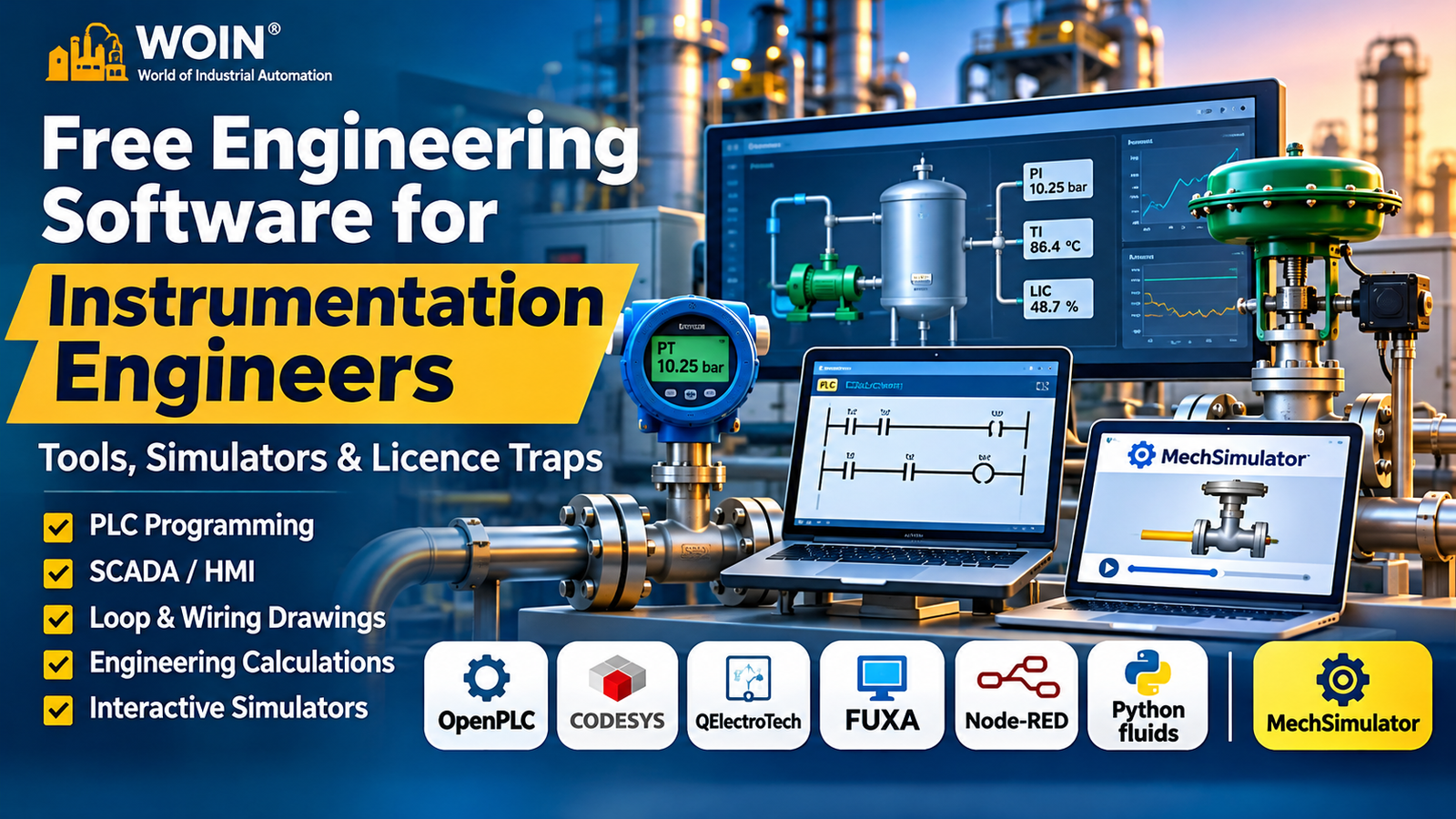
WOIN INSTRUMENTATION · ENGINEERING GUIDE
A practical guide to PLC programming, loop drawings, SCADA/HMI, industrial data, valve calculations and browser-based simulators.
Free engineering software is useful in I&C work when the tool matches the task. A PLC editor, schematic package, browser simulator and Python library are not interchangeable.
Use these tools to practise PLC logic, sketch loops, prototype HMI screens, test data paths or check valve calculations. Each profile explains the relevant licence limits.
For broader process and multiphysics tools, see WOIN’s 2027 simulation guide.
[KISHAN: Add one genuine example of a free I&C tool you have used and what still needed independent checking.]
Important distinction: This guide covers open-source software, a free IDE, a Python library and an online learning simulator. Their terms differ: OpenPLC has separate Editor and runtime licences, while MechSimulator is an educational website, not open-source software.
Where Should You Start?
Choose by the task, not the download-page feature count.
fluids for scripted calculations and repeatable input sweeps.01 QUICK DIRECTORY
Free Engineering Software for Instrumentation: Quick Comparison
The table is a quick shortlist. The detailed profiles below explain the intended use, platform, licence and limitation.
| I&C task | Tool to try | Licence / access | Main caution |
|---|---|---|---|
| PLC programming | OpenPLC Editor | Editor: GPLv3; Runtime v4: GPLv3 or commercial licence | Check which runtime you deploy, including the separate bare-metal firmware runtime terms. |
| IEC 61131-3 development | CODESYS Development System | IDE free to download | Unlicensed SoftPLC stops after two hours. |
| Wiring / schematic diagrams | QElectroTech | GPL v2-or-later | Not an intelligent instrument database or full project CAD system. |
| HMI / SCADA prototyping | FUXA | MIT open source; separate Pro offer | Production cybersecurity and operations review remains essential. |
| Data flow and connectivity | Node-RED | Apache 2.0 | Third-party nodes have separate licences and security profiles. |
| Flow and valve calculations | Python fluids | MIT library | Code library, not a point-and-click engineering package. |
| Interactive learning | MechSimulator | Free for stated personal and educational uses | Not a general commercial-use licence; outputs need qualified independent verification before professional decisions. |
The shortlist separates downloadable software from browser-based learning tools. Licence and release details below were checked against official project or vendor pages on 22 November 2026.
02 PLC DEVELOPMENT
Free PLC Programming Software for Instrumentation Engineers
Start with a motor start/stop, pump permissive or tank-level sequence. Define the I/O and fail response before coding.
OpenPLC Editor
AUTONOMY · IEC 61131-3 PLC development
Best for: Learning Ladder Diagram, Structured Text and Function Block logic through simple interlocks, alarms and sequences.
Platform: Desktop and browser options; runtime and hardware paths vary by edition.
Licence type: The Editor is GPLv3. Runtime v4 and the bare-metal microcontroller firmware runtime each offer GPLv3 or commercial licensing.
Official link: OpenPLC PLC programming software.
Limitation: Verify target I/O, scan behaviour, protocols and hardware. GPLv3 can cover commercial use if its obligations are met; the commercial licence is an alternative where they are unsuitable.
Release check: The official OpenPLC Editor release page lists v4.3.5 as the latest release on 22 November 2026.
CODESYS Development System
CODESYS · manufacturer-independent IEC 61131-3 IDE
Best for: Learning IEC 61131-3 development for compatible CODESYS controllers and SoftPLCs.
Platform: Windows engineering workstation; runtime depends on the target device.
Licence type: The Development System is free to download from the CODESYS Store. Runtime products and target-device licences are separate.
Official link: CODESYS Development System in the Store.
Limitation: The IDE is free; the unlicensed SoftPLC demo shuts down after two hours. Check the target licence.
Release check: CODESYS lists Development System V3.5.22.40, released 30 September 2026.
[KISHAN: Add a real example of a pump permissive, valve interlock or tank-level sequence and what you checked.]
03 DRAWINGS & SCHEMATICS
Free Software for Instrument Wiring and Loop-Style Drawings
Loop diagrams, wiring diagrams, JB terminations and pneumatic schematics all need consistent tags, terminal numbers, cable cores and revisions—not just correctly drawn symbols.
QElectroTech
Electrical, pneumatic, hydraulic and process schematics
Best for: Electrical, pneumatic and hydraulic schematics, wiring-style drawings and simple P&ID-like representations.
Platform: Windows, GNU/Linux and macOS.
Licence type: GNU GPL version 2 or later. The project describes itself as free and open source. GPL permits commercial use subject to its licence conditions.
Official link: QElectroTech downloads.
Limitation: It is not an instrument index, loop database, cable schedule manager or intelligent P&ID system. Manage tags, terminals, revisions and cross-references separately.
Release check: The official download page lists stable version 0.100 dated 25 January 2026, alongside newer development builds.
[KISHAN: Add a drawing-check example involving instrument tags, JB terminals, cable cores or loop references.]
04 HMI & SCADA
Free HMI and SCADA Software for Prototyping
HMI prototypes help test screen behaviour, but live plant systems need an approved design basis, security review, alarm philosophy and acceptance testing.
FUXA
Web-based HMI / SCADA / process visualisation
Best for: Web HMI/SCADA prototypes using interfaces such as Modbus, OPC UA, MQTT and Siemens S7.
Platform: Web editor and runtime; documented deployment options include Windows, Linux, macOS and Docker.
Licence type: The community project is MIT-licensed. A separate FUXA Pro offer provides additional professional features for a fee.
Official link: FUXA source repository and documentation.
Limitation: Review access control, segmentation, patching, backups, alarms and failover. Compare community features with the paid Pro offer.
Release check: The official GitHub release page lists v1.3.6, released 20 November 2026.
For other SCADA options, see WOIN’s Free SCADA Software guide. Ignition Maker Edition is strictly personal, non-commercial and educational; it is not for production work.
05 INDUSTRIAL DATA
Free Software for Industrial Data and Protocol Prototyping
Node-RED can prototype data movement between controllers, test benches, APIs and dashboards. Keep it outside the real-time control layer unless the approved architecture explicitly allows otherwise.
Node-RED
Low-code, event-driven integration
Best for: Visual data flows between devices, APIs, databases and dashboards—for example, a Modbus-to-MQTT test route or a development dashboard.
Platform: Node.js runtime on Windows or Linux, including container and small-computer deployments.
Licence type: Apache 2.0, maintained as an OpenJS Foundation project.
Official link: Node-RED official website.
Limitation: It is not a safety PLC or deterministic controller. Community nodes have separate licences and security profiles; check each before installation.
Release check: The Node-RED project package lists version 5.0.10, published 17 November 2026.
06 ENGINEERING CALCULATIONS
Free Calculation Libraries for Instrumentation Checks
Flow, valve capacity and orifice calculations need traceable inputs. A library helps repeat checks, but you must verify units, assumptions and method.
Python fluids library
Caleb Bell · fluid dynamics component of ChEDL
Best for: Scripted piping, pump, compressible-flow, control-valve, orifice and relief-valve calculations.
Platform: Python on Windows, macOS or Linux; install with pip install fluids.
Licence type: MIT. The project documentation identifies the library as MIT-licensed.
Release check: Version 1.3.1 was published on 22 June 2026.
Official link: fluids documentation and official source repository.
Limitation: It is a library, not a graphical sizing app. You must code inputs, units and checks; it does not replace approved vendor software, project procedures or the applicable standard.
For control valves, check IEC 60534 / ISA-75.01.01; for orifice metering, confirm ISO 5167. See WOIN’s Fisher and safety-valve sizing guides.
[KISHAN: Add one real valve, flow or orifice calculation example and the inputs you would independently verify.]
07 ONLINE SIMULATION
MechSimulator: A Useful Online Simulator for I&C Learning
MechSimulator is a free browser-based educational site. Its terms identify personal study, classroom/technical education, engineering training and non-commercial education as permitted uses. It is not open-source downloadable software.
Explore I&C concepts in your browser
Practise instrument readings, valve behaviour, PLC logic and pneumatic circuits. No download or account is required.
Start at: MechSimulator.com — browse the simulator library ↗
Terms: No general permission is granted to copy, mirror, reproduce or commercially reuse simulator content. Contact the owner for other uses; read the Terms of Use.
Engineering limitation: Outputs are educational illustrations, not design results. For real design, safety-critical calculations or professional decisions, the terms require independent verification by a qualified engineer.
Pressure readings, PLC ladder basics, valve operation and pneumatic concepts.
Browser-based; no account or download required. Use remains subject to the site’s stated terms.
Visualise scan cycles, valve behaviour, measurement and pneumatic circuits.
Educational illustration only; independently verify outputs before any professional use.
Suggested use: Practise PLC, pressure, valve and pneumatic concepts for education. Treat outputs as illustrations, not design results; verify methods independently before professional use.
08 LICENCE CHECK
Free Is Not the Same as Free to Use: I&C Licence Traps
Check what the licence actually covers: editor, runtime, drivers, libraries, cloud service and add-ons may have separate terms. “Free download” is not a complete licence statement.
| Licence model | Example | What to check |
|---|---|---|
| Open source: GPL | QElectroTech | Commercial use is permitted under GPL terms; redistribution and modified versions bring obligations. |
| Open source: MIT | FUXA, Python fluids | Retain the required copyright and licence notices; check bundled dependencies and separate paid editions. |
| Open source: Apache 2.0 | Node-RED | Review notices and the separate terms of community nodes you install. |
| Free IDE, paid runtime | CODESYS | Confirm the target runtime licence and demo timeout. An unlicensed SoftPLC stops after two hours. |
| GPLv3 editor; runtime with GPLv3 or commercial option | OpenPLC | The GPLv3 route can be used commercially when its conditions are met. The commercial licence is an alternative for users who need to avoid GPLv3 obligations. Check Runtime v4 and bare-metal firmware terms separately. |
| Personal / educational only | Ignition Maker Edition | Do not use for commercial or production work. See the WOIN SCADA guide. |
| Trial or demo | TIA Portal V21 trial | A trial is time-limited evaluation software, not permanently free software. See the WOIN TIA Portal guide. |
| Free online educational resource | MechSimulator | Terms list personal learning/self-study, classroom and technical education, engineering training programmes and non-commercial educational use. They do not grant a general right to reuse its content commercially. Read the Terms of Use. |
Licence models and restrictions are summarised from the linked project terms; verify the exact edition and deployment before use. Commercial use under GPLv3 remains subject to GPLv3 obligations.
Practical test before installation: Read the licence and check commercial use. Then check whether the licence covers the exact edition, runtime, target hardware, add-ons and planned deployment. For open-source packages, review the licences of extensions and bundled dependencies too.
09 PICK BY TASK
Which Free Engineering Tool Should You Choose?
Case 1 · Learning PLC logic
Practise contacts, coils, timers and counters in MechSimulator within its stated educational uses, then move to OpenPLC or CODESYS. The trainer does not replace a vendor PLC, real I/O or commissioning.
Case 2 · Checking valve or orifice calculations
Use Python fluids for a repeatable cross-check. Confirm inputs and methods against the project basis and approved vendor software; it does not replace a signed calculation.
Case 3 · Preparing a loop drawing
Draft with QElectroTech and control tags, JB terminals, cable numbers and revisions separately. It is not an intelligent project database or client CAD standard.
Case 4 · Prototyping HMI or data
Try FUXA for visualisation and Node-RED for data flows. Keep both in a test environment until architecture, security and support are approved.
10 PROJECT READINESS
Can You Use Free Engineering Software on a Real I&C Project?
Sometimes—but permission to use a tool commercially is only the first gate. Your employer or client may still require approved software and security checks.
Record inputs, units, equations, assumptions, software version, reviewer and revision. Keep the working file, not just a screenshot.
Verification checks whether the method was implemented correctly. Validation checks whether that method suits the application.
Project deliverables must follow the contract, client specifications, approved software list and QA procedures. Free tools do not replace vendor data, hardware testing or technical review.
[KISHAN: Add your real view on where free tools are acceptable and where project-approved tools are mandatory.]
11 COMMON MISTAKES
Common Mistakes When Choosing Free I&C Software
It does not. Check the licence on the component that actually runs on the target device.
Maker and educational licences can prohibit commercial or production use outright.
That does not prove tag numbers, terminals, cable cores, cross-references or revisions are correct.
Review third-party licences, maintainers, permissions, security issues and update history.
Check units, process inputs, assumptions, applicable standards and an independent reference.
Simulators teach concepts; verify project calculations and logic through approved procedures.
12 FAQ
Frequently Asked Questions About Free I&C Software
What is the best free engineering software for instrumentation students?
Start with OpenPLC for PLC logic, QElectroTech for drawings and Python fluids for calculations. Use MechSimulator within its educational terms.
Is CODESYS completely free?
The IDE is free; the unlicensed SoftPLC demo stops after two hours.
Can MechSimulator be used for commercial engineering work?
Its terms specify educational uses, not a general commercial reuse licence. Outputs require independent verification before professional decisions. Read the Terms.
Does OpenPLC require a paid licence for commercial use?
Not always. GPLv3 permits commercial use if its conditions are met. The commercial licence is an alternative; check bare-metal runtime terms.
13 OFFICIAL SOURCES
Official Software, Simulator and Licence Pages
Official product, licence and release pages were checked on 22 November 2026. Recheck terms and versions before installation.
WOIN WORLD OF INSTRUMENTATION
Keep Learning. Keep Engineering.
Start with one task, check the licence and keep your work traceable.
Which free I&C tools do you trust? Share your use case and any licence restriction worth knowing.
Related WOIN guides: Free simulation and modelling software 2027 · Free SCADA software · TIA Portal V21 trial · Fisher control-valve sizing · Safety-valve sizing software.
Review: Software checked 22 November 2026; MechSimulator Terms last updated 14 October 2026. Confirm project approval.
